Ads.txt How To for Creators
Embedded creator ads are now an official programmatic media type, allowing the reads and product placements within your videos to be bought and sold automatically by brands. Learn what an ads.txt file is, why brands require it to verify your inventory and prevent ad fraud, and how to easily set yours up in Curastory — no website, developer, or coding required.

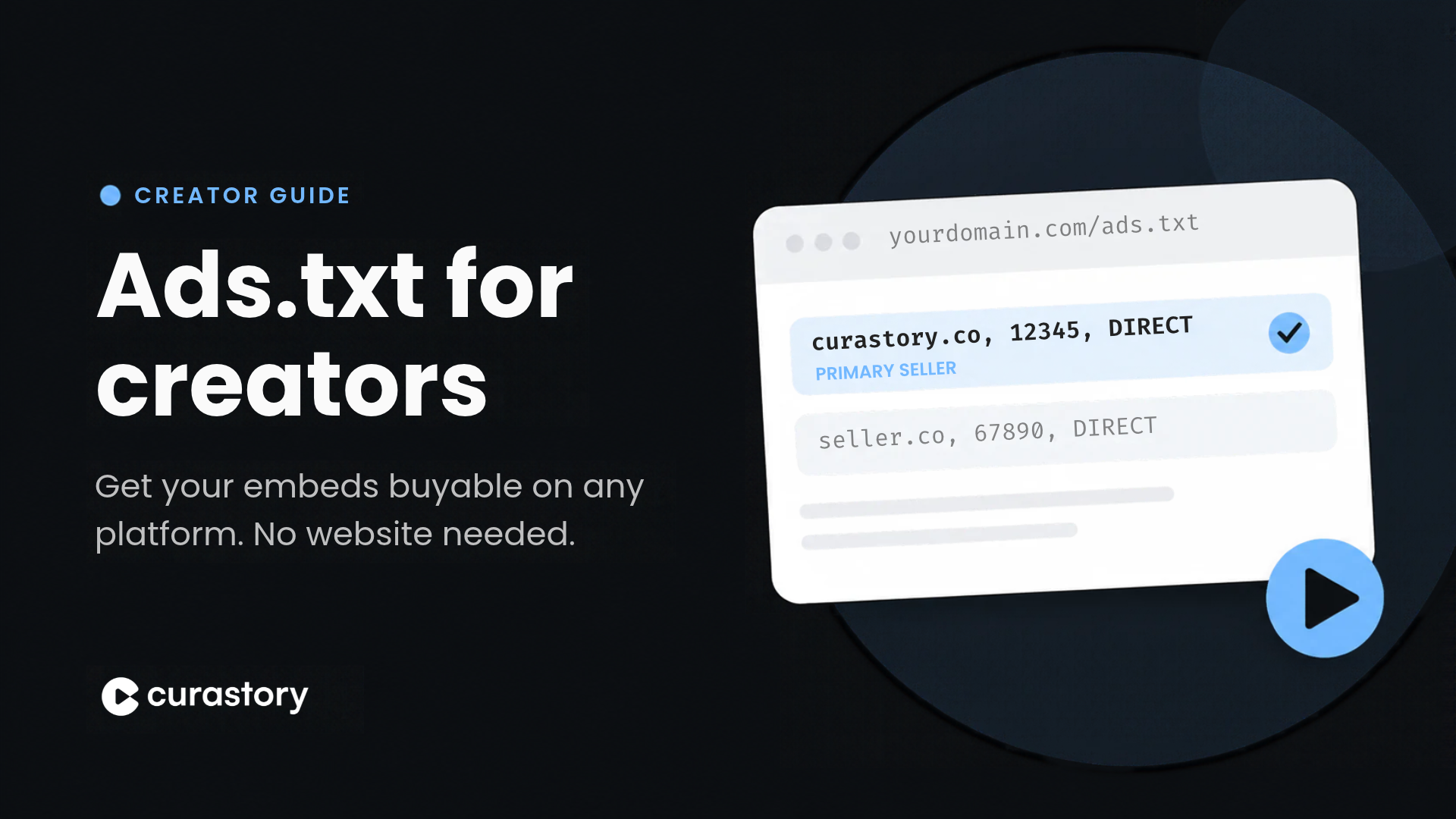
Embedded creator ads are now an official programmatic media type. The reads and product placements you already film can be bought and sold through the same automated systems that sell ads on ESPN or the New York Times.
This article covers the main setup step that makes that possible: your ads.txt file. The good news is that you don't need a website, a developer, or any code. You connect a domain to Curastory, choose who else (if anyone) you also want authorized to sell your ad inventory, and we handle the rest.
What is Ads.txt?
Ads.txt (short for Authorized Digital Sellers) is a public text file, created by the IAB Tech Lab, that lists which companies are allowed to sell your (a creator's or publisher's) ad inventory.
Before a brand spends money on an ad through a buying platform, it checks your ads.txt file: is this platform seller actually authorized by the creator who owns this content? If the answer is no, the advertiser does not spend. That check exists to stop fraud and spoofing, and it is why big advertisers won't buy without it.
Why Ads.txt matters for Embed Inventory?
Programmatic ads, such as those on ESPN or The New York Times, are bought and sold automatically through a standard called OpenRTB. Here is the short version of what happens when your video has an embed slot available:
- The bid request. The sell side tells buyers about the opportunity: the domain or app it lives on, who the publisher is, what the content is, and what kind of ad unit is on offer. Curastory sends this out on your behalf when you’ve uploaded a video into the platform.
- The Ads.txt check. The buyer's system looks up your ads.txt file for that domain and confirms the seller (Curastory) and your account ID are on the list.
- The bid response. If everything matches, the brand bids. For creator media, the winning bid is signaled as an embed unit, meaning an ad you film and place inside your video, rather than a dynamic ad inserted by the platform. Platforms don't allow dynamic ad insertion inside their videos, so embeds are how this inventory gets sold.
No ads.txt listing means buyers can't verify your inventory being sold by Curastory or other sellers you’ve authorized, and unverified inventory doesn't get bought. This one file is what connects your videos to the brand budgets.
Publisher Ads.txt vs. Curastory Creators Ads.Txt
Traditionally, ads.txt was a website owner's job. A blogger working with an ad network would either install the file on their own server themselves (uploading it, using a plugin, or setting up a redirect) or hand the work to the ad network's team.
Creators work differently now. Because your ad inventory is embedded within your videos on other platforms, those audiences are on Substack, Instagram, Facebook Watch, TikTok, Spotify Video, and more, not on your website. Your site is only used for /ads.txt authorization of that embed ad inventory or connected to Substack.
The file includes the authorized seller’s domain, your account ID with that seller, and the relationship you have with the seller.
curastory.co, 12345, DIRECT
The file can also carry a few other lines, like who owns the domain and a contact email. You'll never have to write any of this. The dashboard builds the file from the choices you make in your account settings.
Setup your Ads.txt in Curastory
Before you start: you need a domain you own. Buy one from any registrar (GoDaddy, Namecheap, Cloudflare, or others). It doesn't need to have a website on it.
Step 1: Add your custom domain
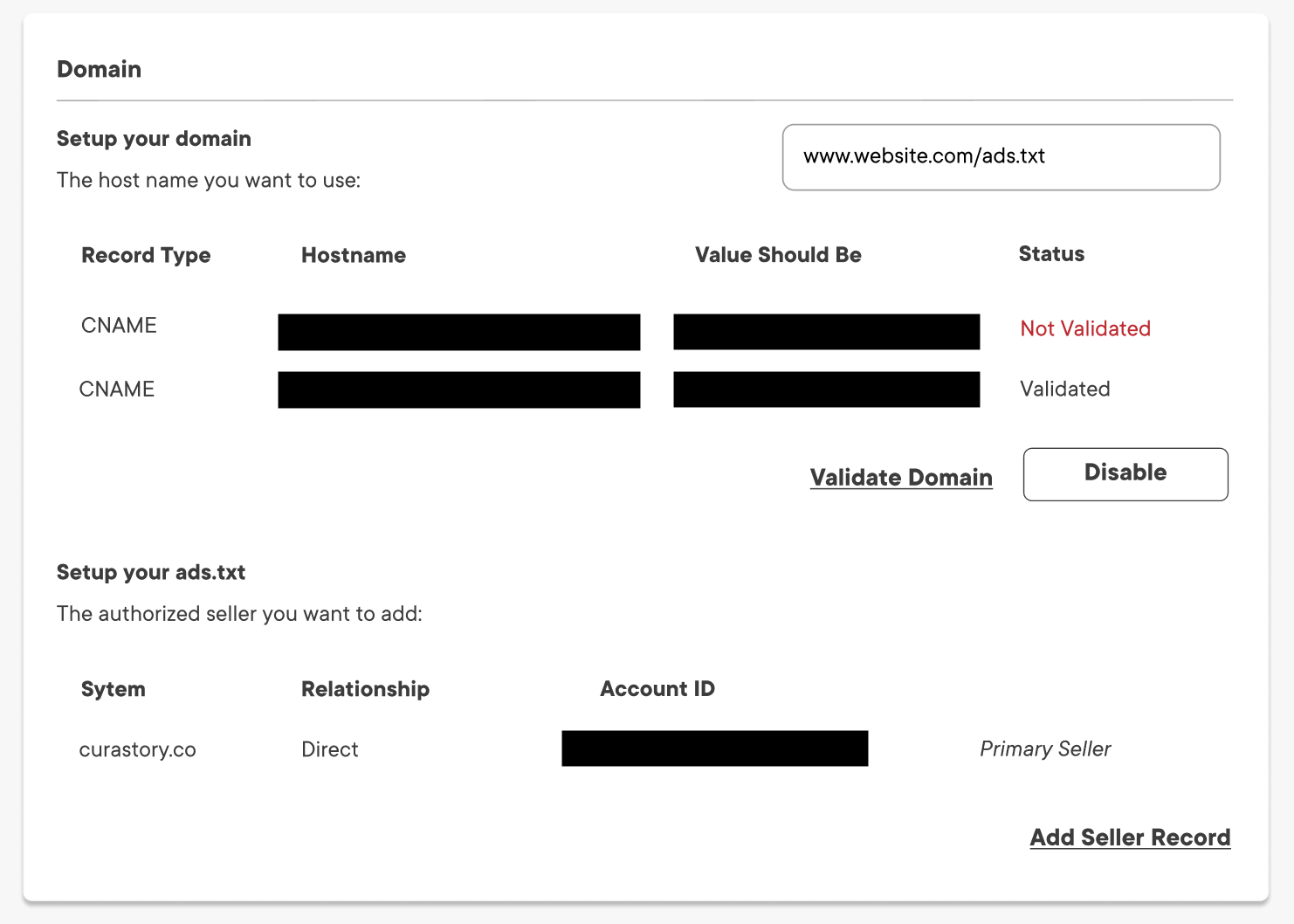
In your Curastory account, go to Settings and find the Domain section. Click Add under Add a custom domain.

A short checkout window opens. Curastory charges a one-time fee to complete this setup. That fee does not cover registering your domain, which you buy separately with the registrar. Payments are processed securely.
After payment, type the domain name you want to use. The /ads.txt ending is permanent, so you only enter your domain. Click Enable. If you see Domain not registered, double-check the spelling and make sure the domain is active at your registrar.
Step 2: Add the DNS records
Curastory shares with you your DNS records, each with a Record Type, Hostname and a Value. Log in to your domain registrar, open the DNS settings, and add both records exactly as shown. Then come back and click Validate Domain.
The status changes from Not Validated to Validated once the records are live. DNS changes can take anywhere from a few minutes to 24 hours to update, so wait a bit then click Validate Domain again if still showing as Not Validated.
Step 3: Review and add authorized sellers
Under Setup your ads.txt, you'll see Curastory already listed as your Primary Seller. While you are using Curastory, we will remain as your primary seller for your embed ad inventory.
If you also work with other partners who sell your inventory, such as an agency or another ad platform, click Add Seller Record, choose the relationship, enter the seller's domain, and click Authorize. To remove a seller later, select the delete icon beside their record.
Only add sellers you trust. Every seller on your list is allowed to sell your inventory, so more entries mean more parties selling the same videos.
Working with a team? Admins can add and remove domains and sellers. Non-admin team members see a read-only view of your custom domain and authorized sellers.
Frequently Asked Questions
Do I need a website? No. You need a domain you own, but no site pages have to be built on it.
Does this change how I publish on Substack, Instagram, or my other channels? No. Your content stays where it is. Ads.txt is only a file to manage selling ad reads and embeds within your videos on these platforms.
Why does Ads.txt matter if I already get paid by the platform, like YouTube AdSense? Platform payouts are susceptible to demonetization of ad revenue sharing or creator funds are fully controlled by the platform. Ads.txt is what lets the open programmatic ad market, which is where most brand budgets go, buy your embeds directly. You fully control this monetization process.